

Coaching for agents and teams
Set it up once. When something happens, like a new open house or a new lead, you get a heads-up and the routine steps run. You approve anything a client will see. I teach you to build it in your own accounts.
Ken Jackson, licensed with Spyglass Realty
The marketing, lead and client side of the work. Each area is one live class: you build a draft with me, then finish and test it in your own accounts with a checklist. Not covered: business planning, prospecting scripts, negotiation or contract advice.
An AI helper that drafts your follow-ups, posts and listing copy for you to review, plus a safety checklist (no client data uploaded, facts from MLS only).
Templates that keep every post, flyer and email on brand without starting from scratch.
Connect a lead form to your CRM and test that every new lead arrives with where it came from.
A plan for where your leads come from, with each new lead tagged by source and a heads-up to you.
A welcome and follow-up series from your own domain. You approve each message once, then it sends on schedule.
A content calendar and templates for posts, reels and articles. You approve each one before it goes out.
A listing presentation, leave-behind packet and seller net sheet ready to fill from verified MLS facts.
Templates for open house flyers and door signs with a QR code. You check the facts before printing.
Each contract stage has a client update drafted for you to send. Deadlines stay with you, your broker and your TC.
Start with the free scorecard
Nine yes or no questions. You see your three areas to start with right away.
Set it up once. The routine steps run; you approve anything a client sees.
You start it
Enter the property and the time, with facts checked against the MLS.
Built for you
A sign-in page with a QR code, a flyer and a door sign, made from your templates. You check them before printing.
At the open house
Visitors sign in on an iPad. Each one lands in your CRM, tagged with the address.
After
A follow-up draft is written for each visitor. You read it and send it.
Your part: start it, check the materials, and read and send the follow-ups. The rest is set up ahead of time.
No cost, no pitch. Every option below ends with you able to run it yourself, in your own accounts.
Free, 2 minutes
Nine yes or no questions, one for each area of your business. Your score and your three areas to start with show up right away.
Free
What you get
Free, 45 minutes
A real 45-minute lesson from Module 1, AI tools day to day. I teach it live. No pitch.
Free
What you get
I email you the date and the link.
Live classes, private coaching, or a setup we build together. Every option is live with me, and you keep what you build.
Start small
One live class on one of the nine topics below.
$149per person
What you get
Runs with 5 or more people. Full refund up to 48 hours before, or if the date moves.
The full program
All nine topics in a small group, one a week, plus a wrap-up week. Build drafts in class; finish and test them between classes.
Set on your call
What you get
Opens once every topic has run as a workshop. Join the waitlist now. Full refund until class 3, or if fewer than 6 sign up. Classes are recorded for the group.
1:1
Private help building your tools, lead forms and client message drafts in your own accounts.
Set on your call3-month minimum
What you get
Renews monthly after 3 months. Calls don't roll over. Limited spots.
Done with you
We build your brand templates, lead form and welcome emails together, then I show you how to run them.
Set on your call
What you get
Accounts stay in your name. Not included: a new website, moving CRMs, running ads, ongoing upkeep.
Train your agents on one good system. This trains agents; it does not audit or rebuild your brokerage systems.
Brokers and teams
The 10-week program, run privately for your agents.
Set on your call6 to 12 agents
What you get
Full refund before the third class starts.
Brokers and teams
Send 4 or more agents to a public 10-week program.
Set on your call4 or more seats
What you get
Every area comes with its own safety checklist: no client data uploaded, facts from the MLS only, a fair housing read on every listing and ad.
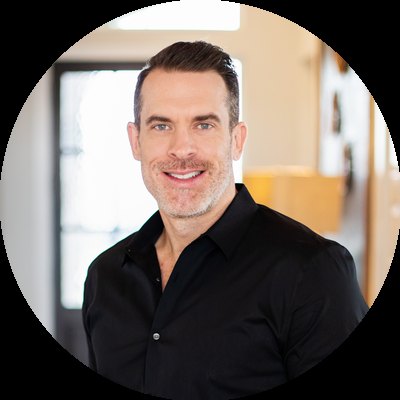
Your coach
I'm a licensed real estate agent in Austin. I have spent more than 20 years as a software engineer, entrepreneur and product leader. I built these tools with AI, and I check what they make. I teach you to set them up in your own accounts, and you approve everything a client sees.
Ken Jackson, REALTOR, Spyglass Realty
No. I teach you the systems I use and help you set yours up. What they do for you depends on your market and your work.
No. This is coaching, not recruiting. Stay where you are and keep your leads in your own CRM.
Workshops, the 10-week program and 1:1 teach you to build it yourself. The business setup builds the core pieces with you, and ends with you running them.
The routine work does: pages, tags, drafts, templates and reminders. Anything that goes to a client waits for you to read it and send it.
Send anything to a client without your read, state property facts that are not from the MLS, handle contract deadlines, or see your clients' personal data. Each topic has a safety checklist.
Business planning and finances, prospecting scripts, buyer consultations, negotiation and contract advice. Ask your broker for those.
Yes, through the team program or team seats. It trains your agents. Brokerage systems work is separate.
Built around Follow Up Boss, Google Workspace, one AI chat tool, Canva and your website builder. Using something else? Ask first.
No. It is not TREC continuing education and earns no CE hours.
It goes on a coaching list kept apart from my real estate contacts. Unsubscribe any time. Sessions use demo data, never real clients.
Not sure where to start? Take the free scorecard.
Coaching is a separate service from real estate brokerage. No results are promised. It is not TREC continuing education.

SPYGLASS REALTY 8501 N MOPAC EXPY STE 110 AUSTIN TX 78759
SPYGLASS REALTY 8501 N MOPAC EXPY STE 110 AUSTIN TX 78759